Procure to Pay

Customized Workflows & Automated Approval Routing for SaaS Procurement

Approvals that move on their own, accurately, every time.
Request a demo
No items found.

Why Approval Workflows Matter in SaaS Procurement

Most teams still rely on inbox nudges, chat reminders, and memory to move approvals forward. That approach breaks down quickly as SaaS spend grows and more stakeholders get involved.

CostRoom replaces manual follow-ups with structured procurement workflows that run reliably in the background. Every request reaches the right owner, follows the right path, and carries full context, without anyone needing to micromanage approvals.

What this capability does — at a glance

One workflow engine for all SaaS and Cloud requests

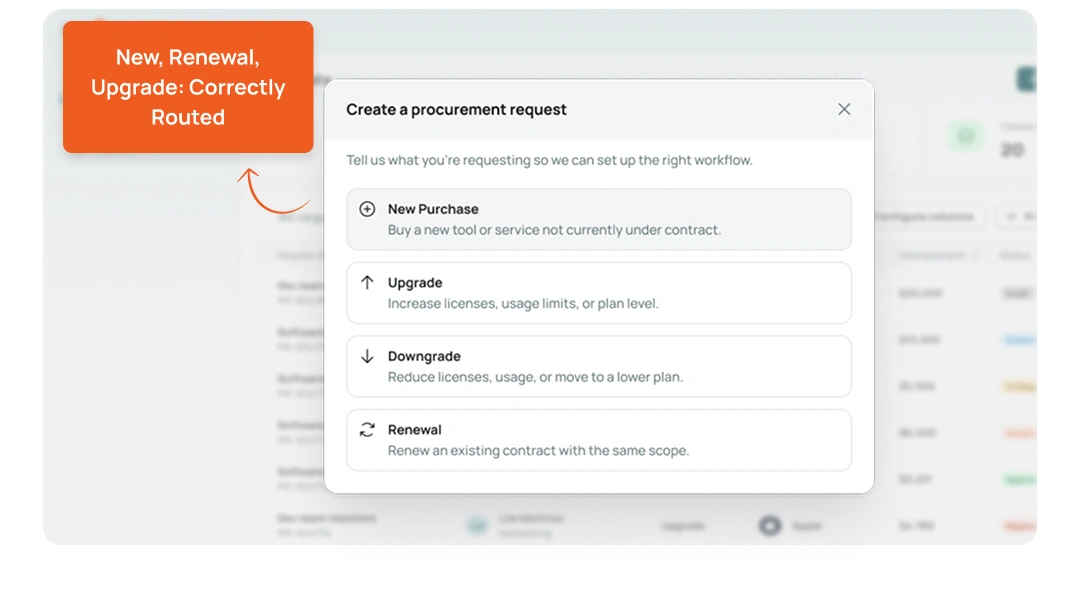
New purchases, renewals, expansions, and high-value approvals all follow a single, traceable path. No manual forwarding between teams or “Who owns this?” moments.

Approvals that auto-route with accuracy

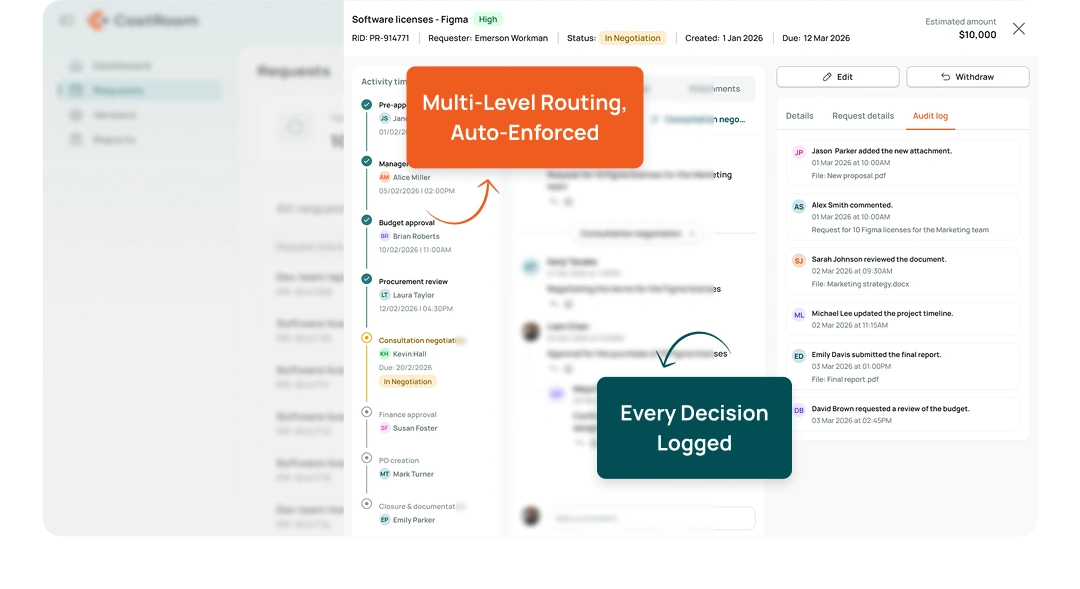
Multi-level routing, conditions, exceptions, and escalations run in the background. Every decision is logged clearly so you always know who approved what — and when.

Structured intake that reduces review time

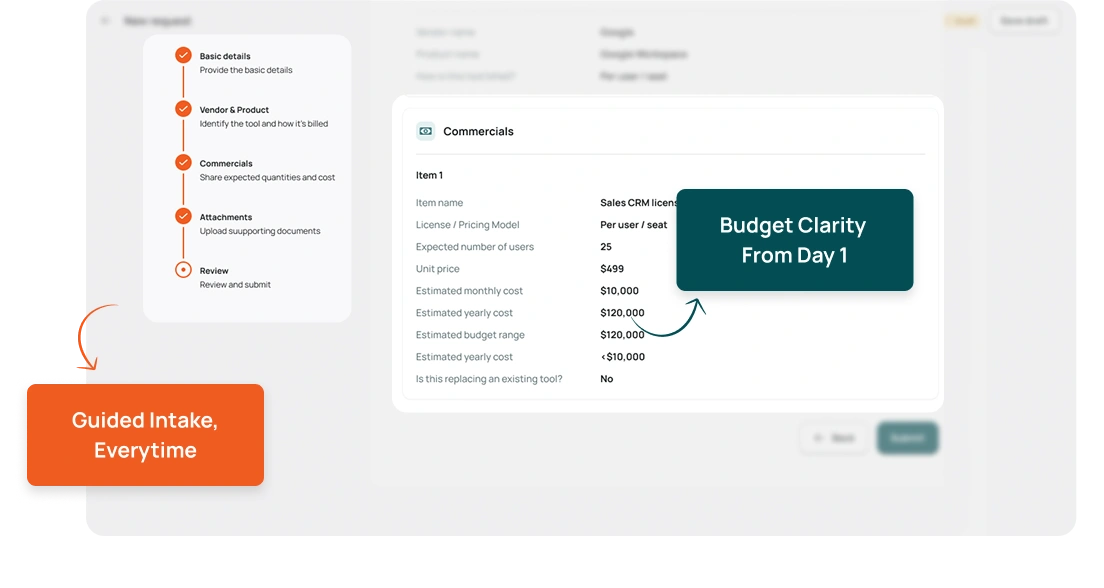
Requests begin with complete context: budget, need, risk, and vendor details. Approvers get clarity from the start, leading to faster and more consistent decisions.
No items found.
No items found.
No items found.

Core Approval Workflow Capabilities for Predictable Procurement

Customizable Workflows

Customizable Workflows

Design approval workflows that reflect how your organisation actually operates. Add steps, create branches based on spend, mandate legal or security reviews, or auto-approve low-value requests. Every workflow is editable without needing IT support. Teams move faster because everyone knows exactly what happens next.
Automated Approval Routing

Automated Approval Routing

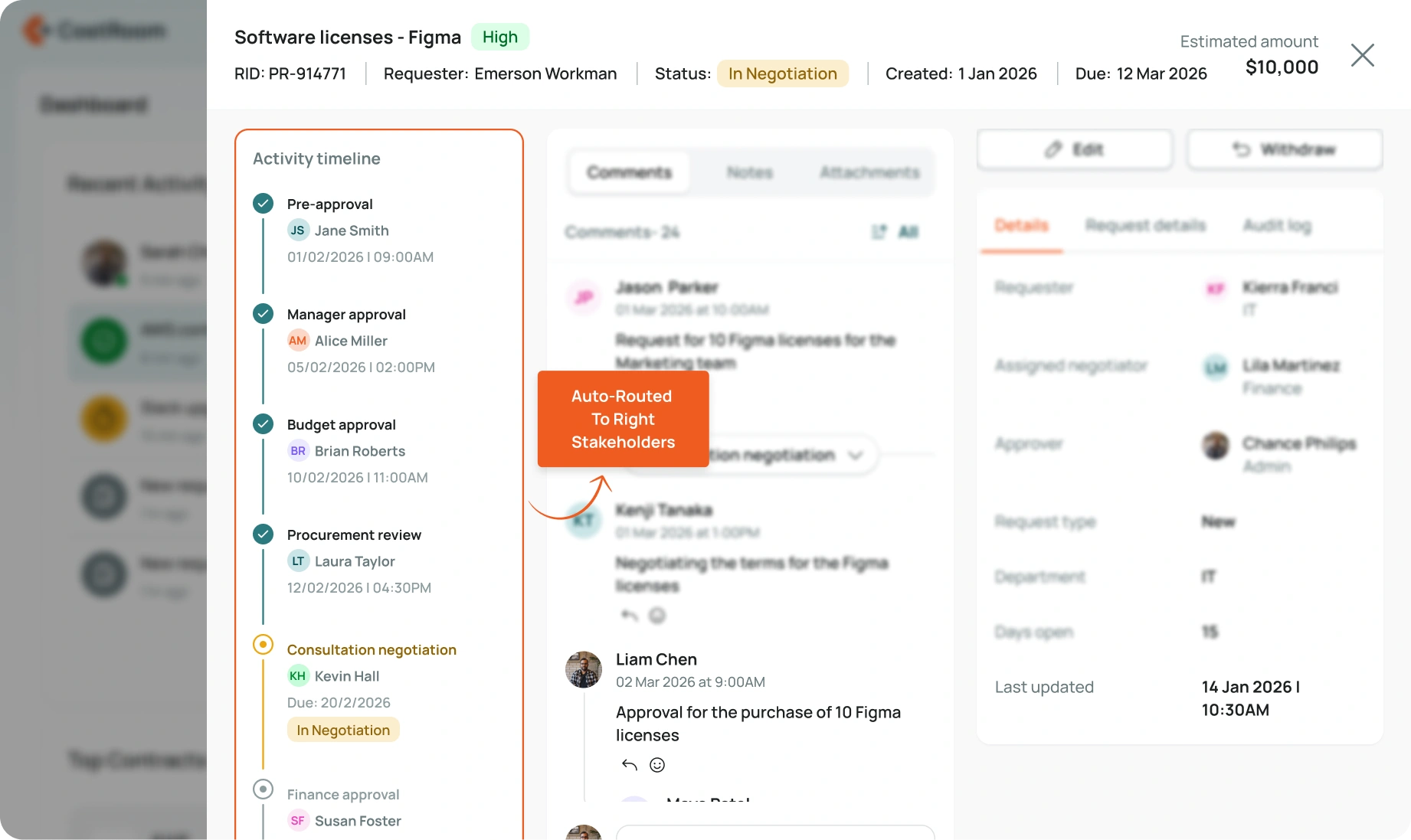
Requests automatically route to the right owners based on category, cost, department, renewal type, or risk flag. Built-in escalation timers prevent bottlenecks, and exceptions are tracked transparently so nothing slips through. No stalled requests. No manual chasing. Approvals progress cleanly and on time.
Pre-Built Intake Templates

Pre-Built Intake Templates

CostRoom includes ready-to-use intake templates for SaaS tools, cloud resources, renewals, expansions, and vendor switches. Each template collects essential context — usage need, budget owner, risk details, contract history — so approvers never review incomplete forms. Fewer back-and-forths, faster decisions, and consistent data across every request.
Automated Prioritization & Assignment

Automated Prioritization & Assignment

High-impact or time-sensitive requests surface first. CostRoom identifies urgent renewals, high-value approvals, or requests requiring multiple stakeholders — and assigns tasks accordingly. Nothing gets buried or missed. Teams focus on what matters without manual sorting or triage.
Spend Visibility Dashboard

Spend Visibility Dashboard

See all in-flight requests, pending approvals, cycle times, bottlenecks, and spend impact — in one clear dashboard. Identify delays, overloaded reviewers, and categories where approvals consistently slow down. Leaders get a real-time pulse on procurement activity and can course-correct early.

What teams say

Approvals now move without us touching them. Our cycle time dropped by more than half.
Finance Ops Lead
People finally get complete intake forms. No more going back to ask basic questions.
IT Manager
Escalations are automatic. Nothing sits idle anymore.
Procurement Head
The workflows actually match how our teams work, not an idealised process.
Operations Controller
We can see where things get stuck and fix it the same day.
Director, Business Systems

Frequently asked questions

Can we create different workflows for different types of requests?
Yes. You can configure separate workflows for SaaS, cloud, renewals, expansions, high-risk tools, and vendor switches.
How complex can routing rules be?
Routing can include category, spend thresholds, department, data access level, renewal type, or any custom field you create.
Does this require IT to maintain?
No. Admins can update routes, exceptions, steps, and templates directly in CostRoom.
Can we see who delayed an approval?
Yes. The dashboard shows every touchpoint, timestamps, and routing decisions.
Do templates support attachments and custom questions?
Absolutely. You can add fields, sections, and required items for compliance, security, or finance inputs.
How does prioritization work?
CostRoom highlights requests nearing renewal deadlines, above budget thresholds, or flagged as high-risk. Assignment adapts automatically.